
About Desktop Note
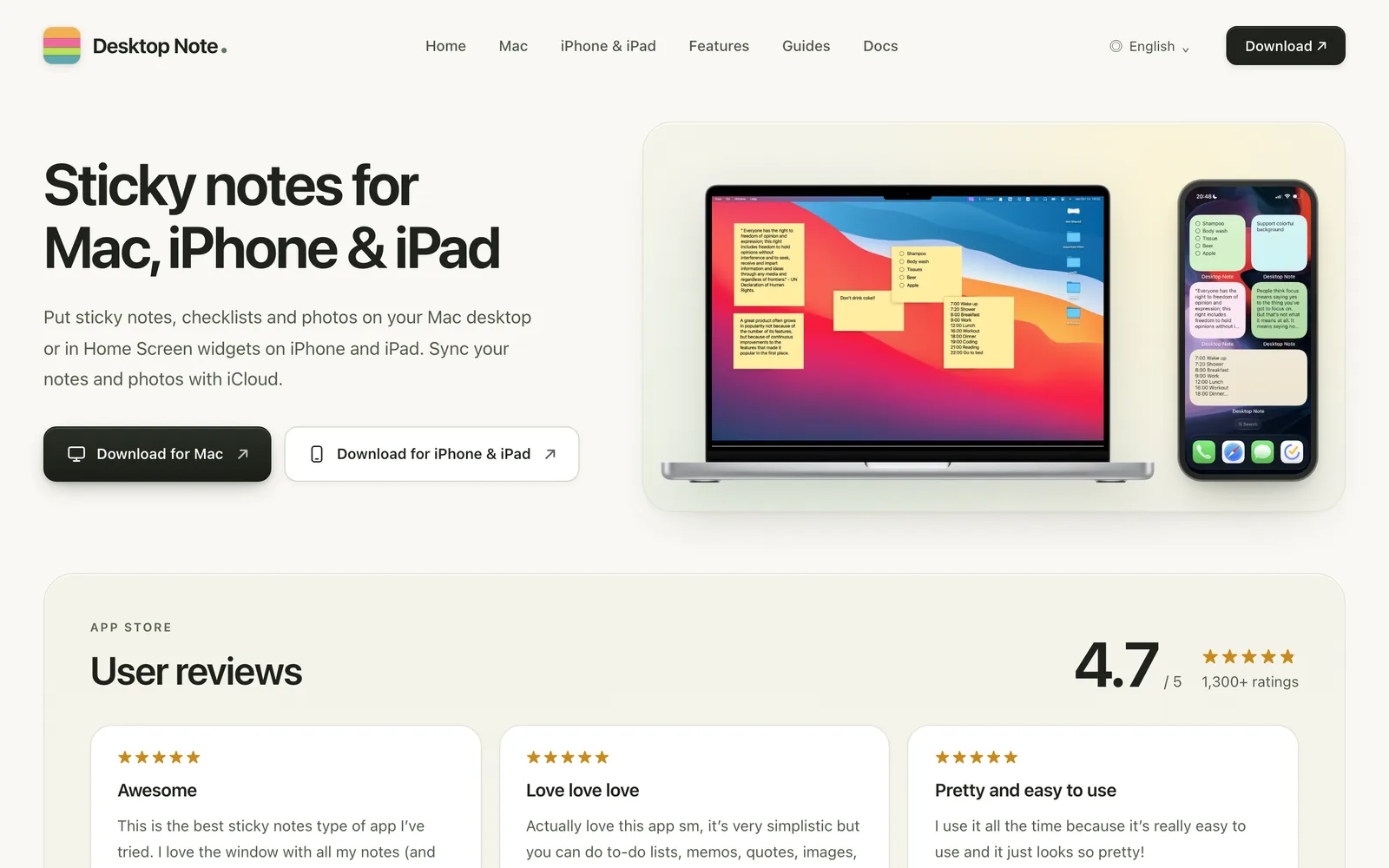
Place notes and photos on your Mac desktop, or pin a checklist above another window and adjust its opacity. Add colored highlights and illustrated backgrounds, check off to-dos, and archive notes when you finish. On iPhone and iPad, show notes, checklists, and photos as Home Screen widgets. Everything syncs through your own iCloud account. You can also import ColorNote notes on iOS and export notes as Markdown or plain text. An optional Pro upgrade unlocks unlimited notes and photos.
Key features
- Customizable colors and illustrated backgrounds
- Pin notes above other windows with adjustable opacity
- iCloud sync across Mac, iPhone, and iPad
- Home Screen widgets for notes, checklists, and photos
- Import notes from ColorNote on iOS devices
- Unlimited notes and photos with Pro unlock
Show your app to people looking at Desktop Note and every other Writing & Notes app. 2 slots a week, from €12.
Appear on this pageMore like Desktop Note
Other Writing & Notes apps people look at.


Drafts
Capture text first, decide what to do with it later. Endlessly automatable.
Writing & Notes · Free


Desktop Note: common questions
Something else? Ask us.
Is Desktop Note free?
Desktop Note is free to download, with optional paid features or in-app purchases.
What devices does Desktop Note run on?
Desktop Note is a native app for macOS, iOS, iPadOS.
Who makes Desktop Note?
Desktop Note is made by Cswenshuo.
What are the best alternatives to Desktop Note?
Popular writing & notes alternatives to Desktop Note on NativeShelf include Day One, Drafts, Ulysses, Bear.
Is Desktop Note a native app?
Yes. NativeShelf only lists native apps for Apple platforms, and every listing is checked by a person. Web apps and SaaS aren't included.
Is this your app? Add the badge or claim this listing. Machine-readable version: desktop-note.md