Capture text first, decide what to do with it later. Endlessly automatable.
Details
What is Drafts?
Drafts is where text starts. Quickly capture text and send it almost anywhere!
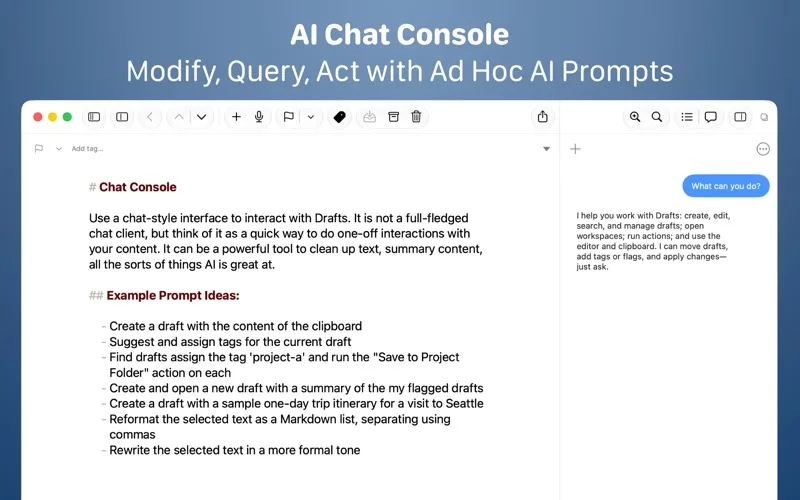
Drafts turns text into action with almost limitless possibilities – it’s a quick notebook, handy editor, and writing automation tool, all in one. Capture all of your text in Drafts and send it to other apps without the extra taps. Just open it and start typing!
**Drafts is a multi-award winner!**
- App of the Day, TIME Magazine’s Best Apps
- MacStories “Lifetime Achievement Award”
## WHY YOU’LL LOVE DRAFTS ##
CAPTURE EVERYWHERE:
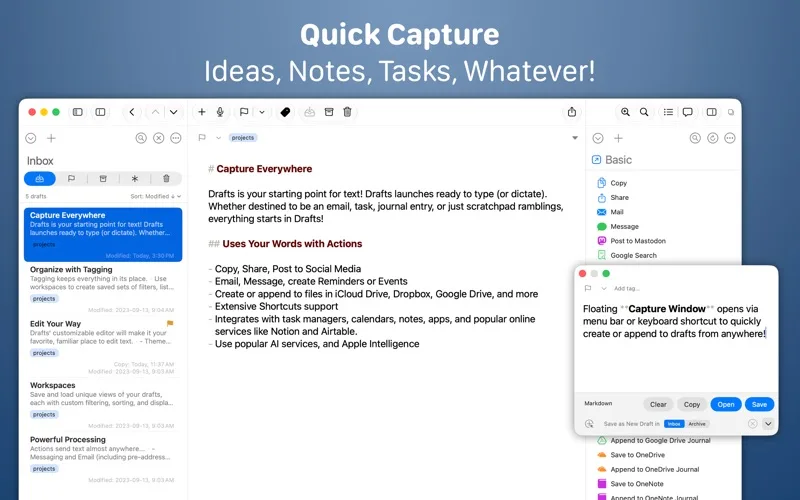
Drafts opens to a new page with the keyboard ready — just waiting for your words. Alternatively, go hands-free with dictation.
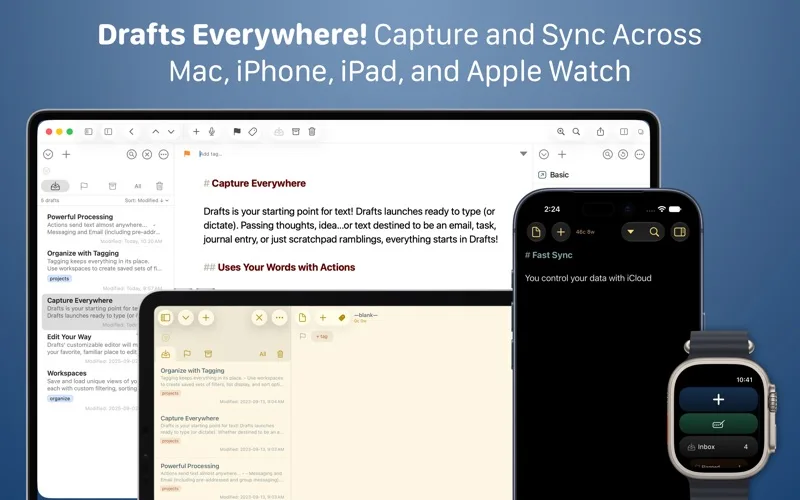
Drafts helps you write ideas down before you can forget them so and they’ll always be there, ready and waiting. Capture on iPhone, iPad, Mac, and Apple Watch, and Drafts’ fast sync will make your text available everywhere.
USE YOUR WORDS:
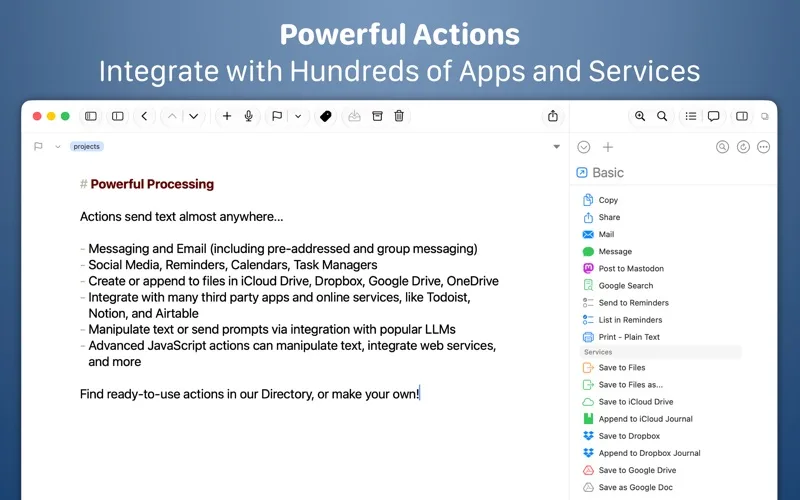
Drafts is a jumping-off point for text — use actions to copy it, share it, or deep-link into other apps and services. Compose a tweet, draft a message, create a file in Dropbox, send a task off to Reminders – Drafts works with tons of your favorite apps and services.
REMEMBER IT NOW – OR LATER:
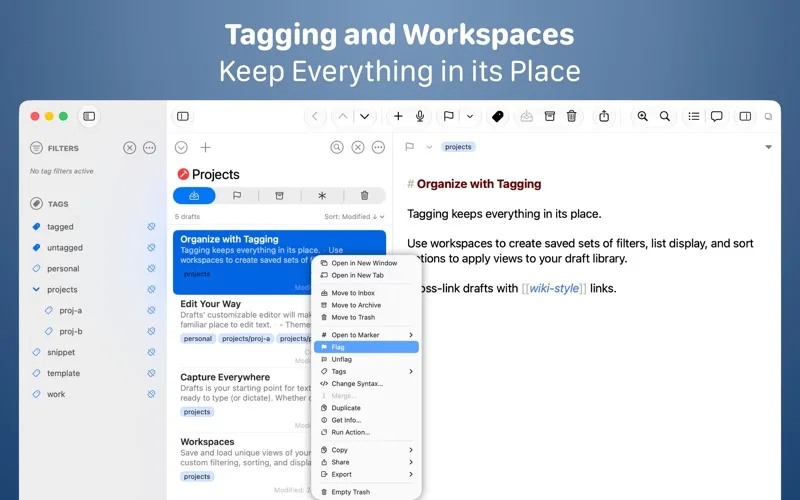
New entries go into the Inbox. Once there, you can Tag them for organization, Flag them for importance, or Archive them for long-term storage.
TAKE TEXT TO A NEW LEVEL:
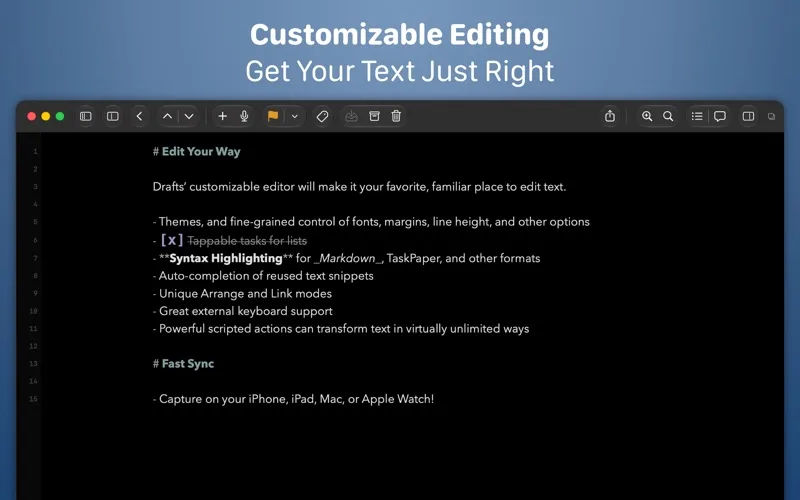
Customize Drafts to look and work the way you want with tons of interface adjustments — custom fonts and control over spacing, line height, and margins.
Use the customizable buttons above the keyboard to convert, manipulate, and transform your writing quickly.
Using Drafts as a global inbox for all of your text? Process everything quickly using unique features like Link Mode, Arrange Mode, and text manipulation actions.
GETTING WORDS DOWN HAS NEVER BEEN EASIER:
Drafts opens lightning fast and with support for capture via Siri, the widget, share extension, file import, and dictation - Drafts is like post-its updated for the smartphone era.
## JOIN THE COMMUNITY ##
Check out our Directory (actions.getdrafts.com) for ready-to-use actions and themes. Join the Drafts Community (forums.getdrafts.com) to get help, integration guides, and a regular flow of tips & tricks.
## DRAFTS PRO ##
Drafts is always free to use, but you can get more out of Drafts with a Drafts Pro subscription:
• Create and Edit Actions
• Themes and Icons - suit the experience to your tastes with themes, custom app icons, and more
• Workspaces - Apply pref
At a glance
- Price
- Free
- Pricing model
- Free
- Platforms
- macOS
- Requires
- macOS 12.7+
- Version
- 54.1.1
- Website
- getdrafts.com
- Listed
- Sep 19, 2026
Domain rating
Domain Rating by Ahrefsgetdrafts.com has a Domain Rating of 66. Checked Oct 21, 2026
Last 30 days
2 views · 0 clicks
Consider instead · Sponsored
Advertise
Other Writing & Notes apps like Drafts


Drafts: common questions
Is Drafts free?
Yes, Drafts is free.
What devices does Drafts run on?
Drafts is a native app for macOS. It requires 12.7 or later.
Who makes Drafts?
Drafts is made by Agile Tortoise.
What are the best alternatives to Drafts?
Popular writing & notes alternatives to Drafts on NativeShelf include Day One, Ulysses, Bear.
Is Drafts a native app?
Yes. NativeShelf only lists native apps for Apple platforms, and every listing is checked by a person. Web apps and SaaS aren't included.
Is this your app? Add the badge or claim this listing. Machine-readable version: drafts.md