
About DockMagic
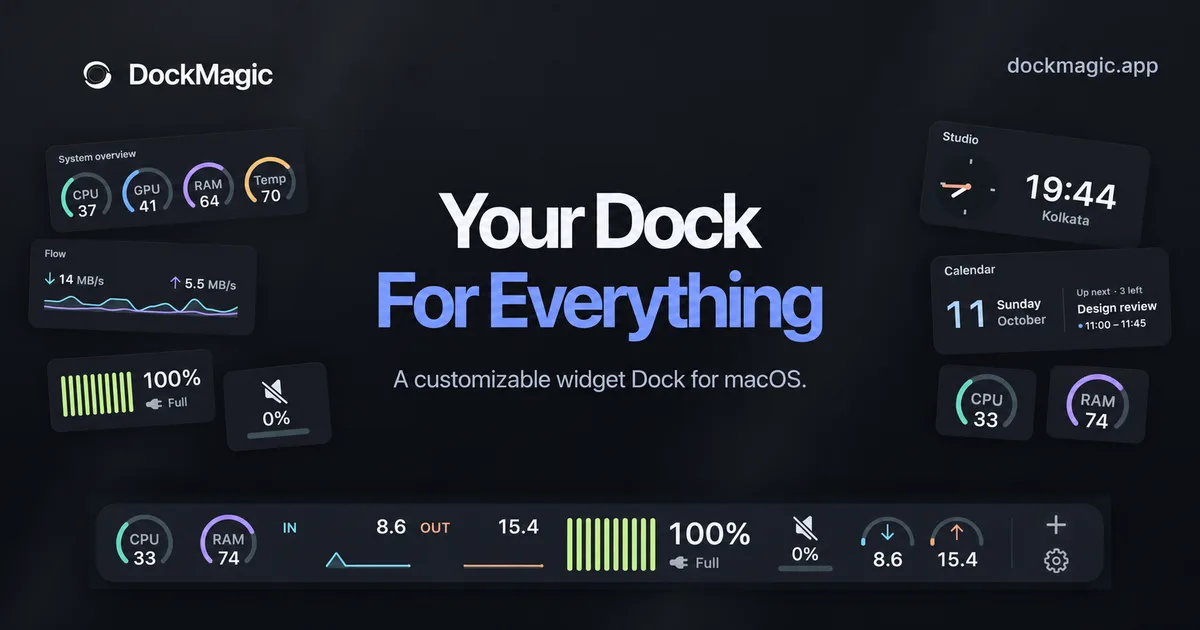
DockMagic adds a second, independent Dock to your Mac. It sits at the bottom, left or right edge of a display you choose, beside the Apple Dock, and holds live widgets you arrange yourself. It does not replace or control the Apple Dock.
Keep an eye on local Claude and Codex agent sessions, grouped by what needs you, what is running and what is finished, and on those tools' usage limits. The widgets only monitor sessions; they do not control the agents. Track revenue from Stripe, Polar, Dodo Payments and Lemon Squeezy in one view. System widgets show CPU, memory and related activity. A website monitor checks uptime from your Mac, and Cloudflare analytics widgets show traffic and security for your zones.
Capture an area screenshot and annotate it with blur, arrows, text and highlights. Record a display, window or area, then refine the video in a timeline editor with auto zoom that follows your clicks. A Pomodoro timer helps you stay focused and can pause when you step away.
Switch between Dock profiles for different kinds of work, pin Mac apps next to your widgets, and arrange the frontmost window into halves, thirds, quarters and more (Accessibility permission required). Everyday tools include clipboard history, calendar views, an emoji picker, reminders and wallpaper controls. Some widgets are free; a one-time lifetime license unlocks the rest, including future updates, for 1, 2 or 3 Macs. Requires macOS 14 or later, on Apple silicon or Intel.
Key features
- Customizable widget dock placement
- System stats widgets (CPU, memory)
- Hide‑on‑idle behavior
- Add/remove widgets
- One‑time lifetime license
- 7‑day free trial
Show your app to people looking at DockMagic and every other Productivity app. 2 slots a week, from €19.
Appear on this pageMore like DockMagic
Other Productivity apps people look at.

Basil
Private meeting transcription and AI summaries on your Apple device.
Productivity · Free, with paid features
New

Clarity
Mac poker hand tracker. Import Hold'em and 4-card Omaha from PokerStars and GGPoker. AI study finds costly spots.
Productivity · $129.99
New

RSVP Speed Reader
Read PDFs, EPUBs, DOCX and TXT one word at a time, up to 1000 wpm
Productivity · Free, with paid features
New


Sightline
A screenshot, recording, and AI‑powered editing app for macOS
Productivity · Free, with paid features
New
DockMagic: common questions
Something else? Ask us.
Is DockMagic free?
DockMagic is free to download, with optional paid features or in-app purchases.
What devices does DockMagic run on?
DockMagic is a native app for macOS.
Who makes DockMagic?
DockMagic is made by Don.
What are the best alternatives to DockMagic?
Popular productivity alternatives to DockMagic on NativeShelf include Basil, Clarity, RSVP Speed Reader, RightShot, Refrain.
Is DockMagic a native app?
Yes. NativeShelf only lists native apps for Apple platforms, and every listing is checked by a person. Web apps and SaaS aren't included.
Is this your app? Add the badge or claim this listing. Machine-readable version: dockmagic.md